Our own product · Staff rostering software

Rosterly

One workspace for the working week.

Staff rostering, time tracking, leave requests and team updates in one workspace, with a public demo and an Android app.

Visit Rosterly (opens in a new tab)
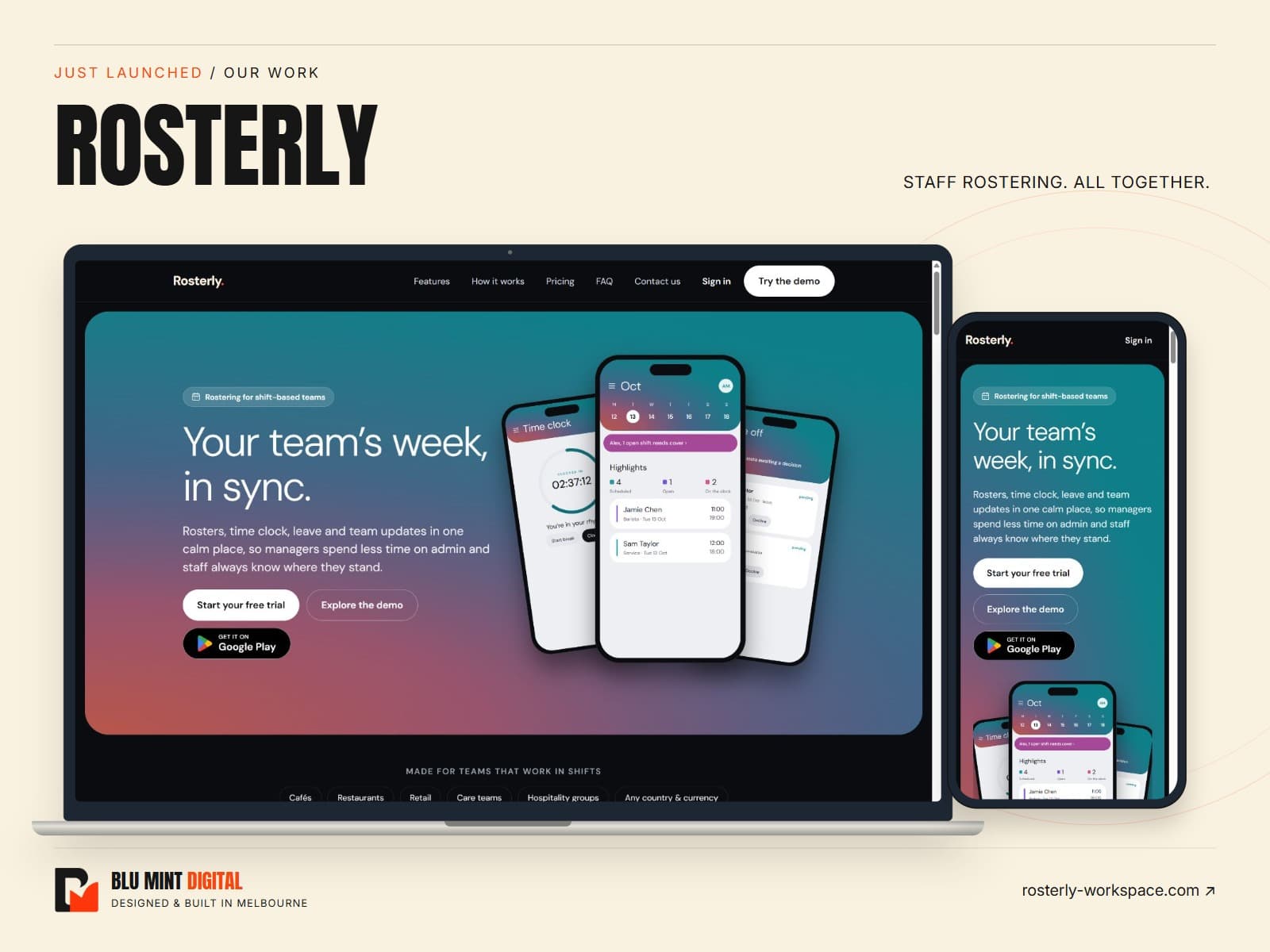
Desktop and mobile views of Rosterly, a Blu Mint Digital project

The project

Rosterly is our staff rostering product for businesses that run on shifts. We designed and built the software and its public website around the same everyday tasks: planning the week, recording hours, managing time off and keeping the team informed. It brings those tasks together for managers and staff across cafés, restaurants, retail and other shift-based workplaces.

The challenge

A roster affects more than the person who writes it. Staff need to see their shifts, managers need to know who is available, and the hours worked need to reach payroll. When those details live in separate spreadsheets and messages, even a small change creates extra work. The product needed a clear path through the whole week, on a phone as well as an office computer.
The approach

We organised Rosterly around four connected areas: rosters, the time clock, time off and the team. The website introduces each with interface previews so visitors can see what they will use. A public sample workspace lets people explore before creating an account, while the trial and Android app give them straightforward ways to get started.

Inside the experience

What we built

01

Plan shifts with context

Build rosters by location, copy a previous week and use auto-fill to help cover open shifts. Availability, skills and weekly hour limits inform assignments, with week and list views for different screens.

02

Turn worked hours into timesheets

Staff can clock in, record breaks and clock out. Managers can review and correct timesheets with a reason, then export approved hours as a CSV for their payroll workflow.

03

Keep requests together

Leave, unavailability and shift-cover requests have a shared place for review. Managers can check conflicts and communicate decisions without searching through a separate group chat.

04

Support teams across locations

Announcements, read receipts and tasks sit alongside a view of the working day. Manager and staff roles, local time zones and a choice of currency support businesses with more than one location.

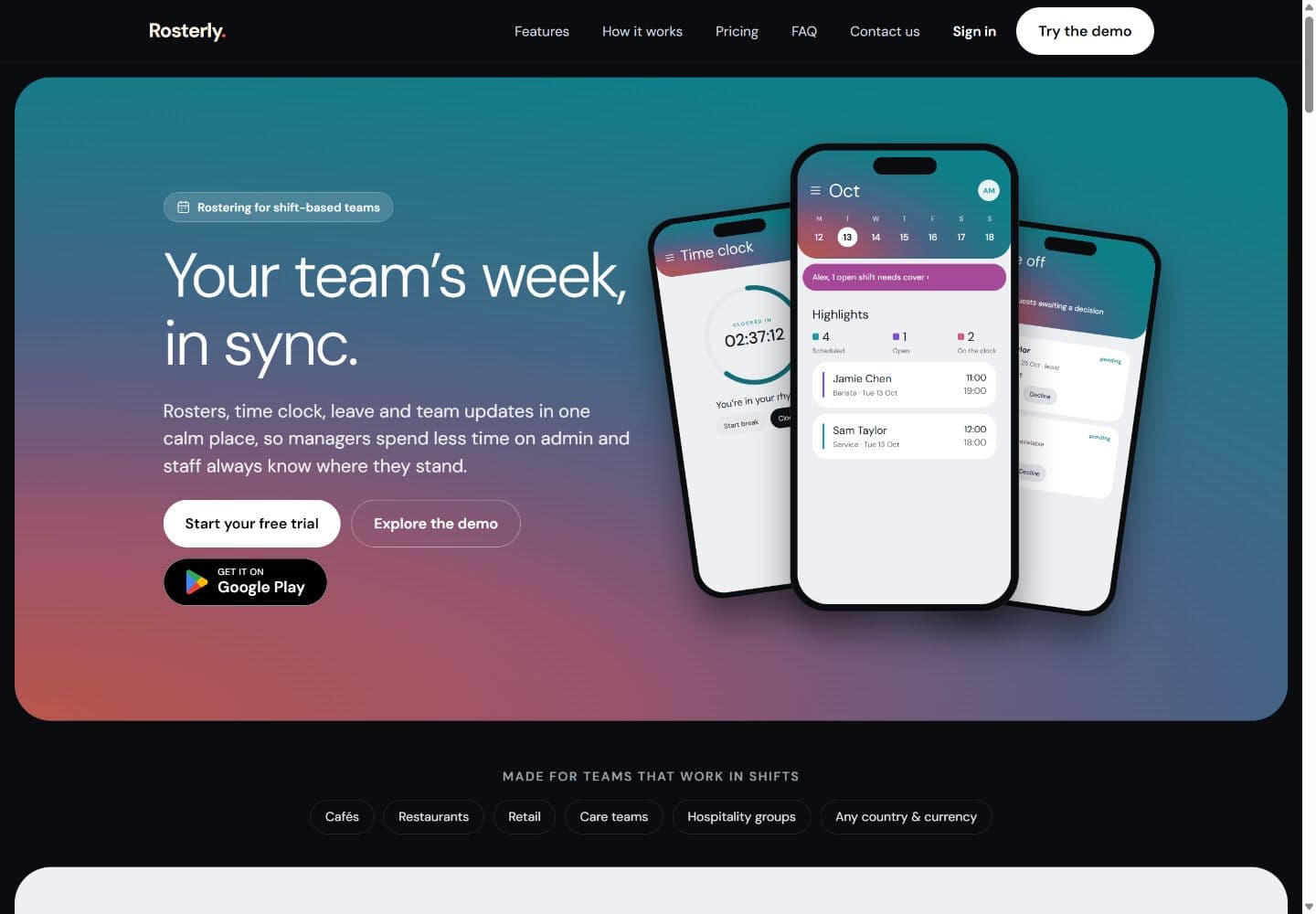
Rosterly homepage showing staff rostering, time clock and leave interfaces
The live Rosterly website at launch.

The launched experience

The launched product connects a public marketing website, an interactive demo, a web workspace and an Android app. Visitors can understand the core workflows before signing up, and teams can move from planning shifts to approving worked hours within the same product. Payroll exports support the handover to payroll; they are not a substitute for award interpretation or a complete payroll system.

Helping people find the right fit

The public website also includes industry pages, product comparisons and practical rostering guides. These give people a route into the product from the problem they are researching, whether that is building a staff roster or choosing scheduling software. Each route connects that question to the relevant features, demo and next step.

Have a product or service to launch?

Talk with Blu Mint Digital about your website, web application or next stage of development. Based in Melbourne, working Australia-wide.

Discuss your project